
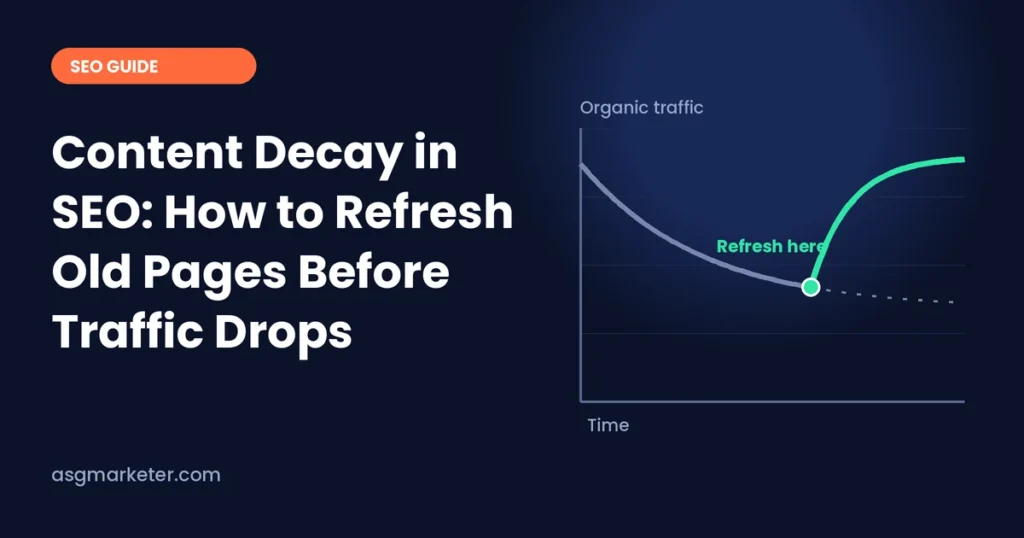

An article can bring in steady search traffic for months and then quietly start slipping. It may still be accurate, the page may still load properly, and nobody may have changed its title. Yet impressions fall, clicks slow down and newer pages begin taking the attention it once earned.
This is often described as content decay: a gradual decline in the search performance of a page that used to do better. It does not always mean the article is old or badly written. Search intent can change, competitors can publish stronger answers, product details can become outdated, or technical changes can make a useful page harder to discover.
The good news is that you do not need to rewrite every old blog post. A better approach is to spot the pages that are losing meaningful performance, understand why, and make changes that solve the actual problem.
What Does Content Decay Look Like?
Content decay is not simply a post getting older. A page published three years ago can still perform well if it answers the question better than other results. A page published six months ago can lose visibility quickly if the topic changes or the content never matched what searchers needed.
Look for patterns such as a sustained decline in clicks or impressions, a drop in rankings for important queries, fewer qualified visits, or a page that once attracted links but no longer earns attention. One quiet week is not enough to diagnose a problem. Seasonality, demand changes and normal reporting fluctuations can all affect the numbers.
1. Find Pages That Are Actually Losing Performance
Start with Google Search Console and your analytics platform. Compare a recent period with an equivalent earlier period, ideally allowing enough time to see a pattern. For seasonal topics, compare the same period from the previous year rather than comparing a busy month with a naturally quiet one.
In Search Console, review clicks, impressions, click-through rate and average position. Then look at the queries and pages behind the change. Analytics can help you check whether organic visits, engagement or conversions have also changed. A page may lose a little traffic but still bring in valuable enquiries, while another may keep its visits but attract the wrong audience.
Build a simple spreadsheet with the URL, topic, previous performance, current performance, business value and likely reason for the decline. This makes it easier to choose what deserves attention first instead of refreshing pages based on age alone.
2. Work Out Why the Page Has Slipped
Before editing, investigate. Otherwise, you can spend hours polishing a page when the real issue is a broken canonical tag, a changed search intent or a competitor offering a more useful answer.
The search intent has changed.
A query that once called for a general guide may now show comparisons, product pages or step-by-step instructions. Search the main query and review what the current results are helping people do. Do not copy competitors; identify what the searcher needs that your page is not providing.
The information is no longer current.
Pricing, software interfaces, regulations, product specifications and recommended processes can change. Outdated screenshots or advice can make a page less useful even if the rest of the article remains solid.
Competitors have improved their pages.
Other websites may have added original examples, clearer explanations, better structure or stronger evidence. Compare the usefulness of the pages, not just their word counts. Longer content is not automatically better.
The page has technical or discovery issues.
A change to internal links, indexation settings, redirects or templates can affect search visibility. If traffic falls suddenly across many pages, investigate site-wide changes before assuming every article needs rewriting.
When the cause may be technical, review the site’s crawl and indexing behaviour. ASG Marketer’s guide to log file analysis for SEO explains how server logs can reveal whether search crawlers are reaching important URLs and encountering avoidable issues.
3. Refresh the Parts That Need Attention
A useful content refresh is more than changing the publication date or adding a few paragraphs. Keep the sections that already answer the question well, then improve the parts that are incomplete, inaccurate or no longer relevant.
- Update facts, examples, screenshots, pricing references and dated recommendations.
- Answer important sub-questions that readers are likely to have but the page currently misses.
- Make the introduction clearer so readers quickly understand what the page will help them do.
- Replace vague advice with practical steps, examples or decision criteria.
- Remove repetition and sections that no longer contribute to the reader’s goal.
- Check the title and meta description for accuracy and a clear reason to click.
- Review images, page speed, mobile usability and any technical issues discovered during diagnosis.
Avoid forcing extra keywords into every heading. Use the language that best explains the topic, and make sure the revised page still sounds like it was written for a person who needs an answer.
4. Improve Internal Links While You Refresh
Old articles can become isolated as a website grows. New service pages and useful guides may be published, but earlier content is not always updated to point readers towards them. A refresh is a good opportunity to fix that gap.
Add links where they help someone take the next logical step. For example, an article explaining how to improve organic performance may naturally link to a detailed SEO audit service. A technical troubleshooting guide can point to a deeper explanation of log file analysis. Use descriptive anchor text that tells readers what they will find, rather than repeating the same exact-match keyword across the site.
For a wider view of technical, content and authority issues, readers can explore ASG Marketer’s forensic SEO audit service. The aim is to connect related information in a way that helps users and makes important pages easier to discover.
5. Prioritise Updates by Value, Not by Age
If your website has hundreds or thousands of URLs, updating every post at once is rarely realistic. Prioritise pages that have a clear opportunity: they used to attract relevant traffic, target an important topic, support a service or contribute to leads and sales.
A practical order is to start with pages that have lost visibility for valuable queries, pages with outdated information that could mislead readers, and pages close to page one where a more helpful answer may improve performance. Low-value pages with little demand may not deserve a major rewrite. In some cases, consolidating overlapping pages or removing content that no longer serves a purpose may be more appropriate.
This is where a proper content and technical review helps. ASG Marketer’s SEO audit service can be a relevant starting point when a team needs to understand which problems should be fixed first rather than working through a long, unprioritised list.
6. Measure the Results After Updating
Record what changed and when. Then monitor the page over a reasonable period, taking into account how quickly search demand and crawling may respond. Compare clicks, impressions, query coverage, qualified visits and conversions with the baseline you recorded before making changes.
Not every refresh will lead to an immediate increase. If performance stays flat, revisit your original diagnosis. Perhaps the page needs a different format, the query has limited demand, a technical issue remains, or another page on your own site is competing for the same intent. Treat the result as evidence for the next decision rather than a reason to make random edits.
7. Make Content Monitoring Part of the Routine
Content decay is easier to manage when it is noticed early. Set a regular review cadence based on the size and importance of your website. A high-value service page may need closer monitoring than a timeless explainer. Pages about fast-changing products or regulations may need more frequent fact checks.
For larger sites, automation can flag unusual performance changes, outdated metadata, broken internal links or pages that need review. The alert should start an investigation, not automatically rewrite the content. Someone still needs to decide whether the change is meaningful and what action makes sense.
ASG Marketer describes this kind of repeatable monitoring and workflow support through its SEO automation service. The useful principle is simple: automate repetitive checks where possible, but keep human judgement involved in content decisions.
A Simple Content Refresh Checklist
- Compare performance across equivalent time periods.
- Check which queries and landing pages explain the decline.
- Rule out seasonality, tracking problems and technical changes.
- Review current search results to understand the intent behind the query.
- Update only the sections that need better information or explanation.
- Add relevant internal links with descriptive anchor text.
- Record the changes and the date they were published.
- Review traffic quality and conversions, not rankings alone.
Frequently Asked Questions
How do I know if an old blog post needs updating?
Look for a sustained decline in relevant clicks or impressions, outdated information, a change in search intent or missing details that readers now need. Age alone is not a reason to rewrite a page.
How often should I refresh SEO content?
There is no single schedule for every website. Review important pages based on performance and how quickly their topic changes. High-value pages and fast-changing topics usually deserve closer attention.
Does changing the publication date improve rankings?
Changing a date without making meaningful improvements is not a reliable SEO strategy. Update the page when you have something useful to correct, clarify or add, and show dates accurately.
Should I rewrite an article if its traffic drops?
Not immediately. First check seasonality, search intent, competitors, indexing and technical changes. The right fix might be a small update, better internal links, consolidation or a technical correction rather than a full rewrite.
Can SEO automation prevent content decay?
Automation can flag traffic changes, broken links and review opportunities, but it cannot reliably decide on its own what readers need. Use alerts to guide human review, then measure the results of the changes.
Conclusion
When a page starts losing traffic, the easiest reaction is to rewrite it from the beginning. Often, that is not what it needs. A careful review can reveal that the content is still useful but missing one important answer, pointing to outdated information, or becoming difficult to find through the site’s internal links.
A sustainable content refresh process starts with evidence, fixes the real issue and measures what happens next. By reviewing performance regularly and prioritising pages that matter to the business, teams can protect useful content and make better use of the work they have already invested in.