
When an online store struggles to grow through organic search, it is tempting to rewrite product descriptions or add more keywords to every page. But that is not always where the biggest opportunity sits. Sometimes category pages are too thin to rank for valuable searches. In other cases, product pages lack useful details, internal links, or clear information that helps shoppers make a decision.
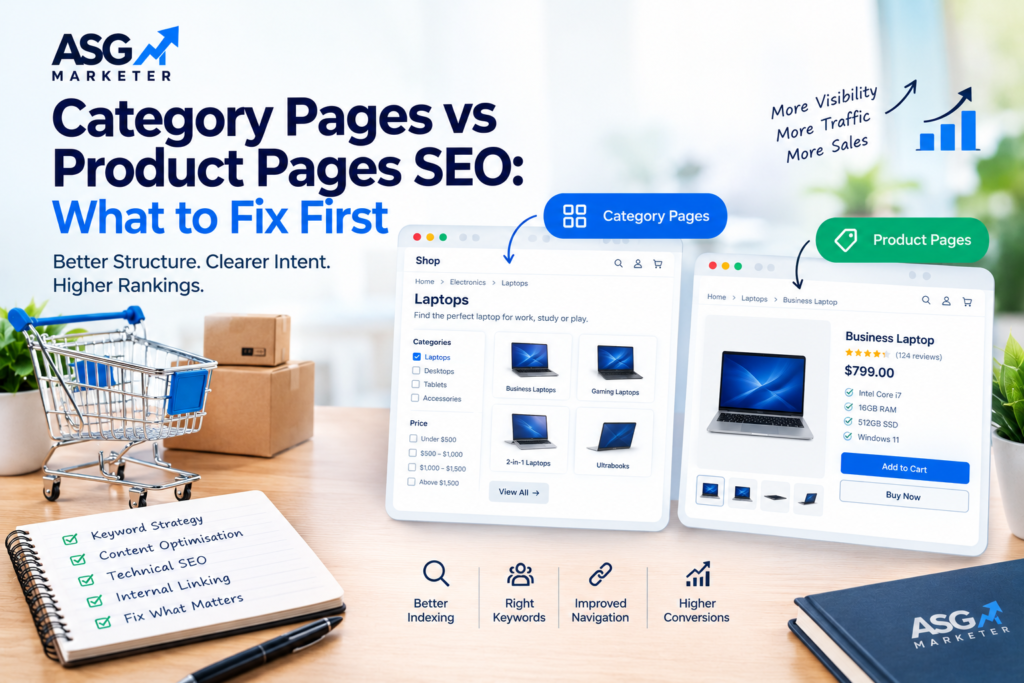
Category pages and product pages serve different purposes, so they should not be optimised in exactly the same way. Category pages help shoppers explore a group of products, while product pages help them evaluate and choose a specific item. Understanding this difference makes it easier to decide what to improve first.
This guide explains how to prioritise both page types, what to check during an SEO review, and how to build a practical optimisation plan without creating unnecessary work.
1. Understand the Job of Each Page Type
What category pages should do
A category page groups related products and helps users narrow their choices. It may target broader searches such as “women’s running shoes”, “office desks”, or “wireless headphones”. Searchers on these queries often want to compare options before choosing a specific product.
A strong category page provides a clear heading, helpful introductory copy where appropriate, relevant filters, sensible sorting, useful product cards, and links to important subcategories. It should make browsing easier rather than burying products under blocks of generic SEO text.
What product pages should do
A product page focuses on one item, model, or variant. It should answer the questions a shopper is likely to ask before purchasing: what the product does, what makes it different, which specifications matter, what it costs, whether it is available, and how delivery or returns work.
Useful product pages include accurate titles, original descriptions, specifications, availability, pricing, clear images, genuine customer reviews where available, and a straightforward route to purchase. The information should help a real customer make a confident decision, not simply repeat a list of keywords.
2. Match the Page to Search Intent
Before changing a page, review the search results for the target query. The types of pages ranking can offer clues about what searchers expect. Broad category queries often favour category or collection pages, while model names, product codes, and highly specific searches often favour product pages.
This is a useful guide rather than a fixed rule. Search results can vary by market and query wording, so check the actual terms that matter to your store. If a product page is trying to rank for a broad category phrase, it may be competing with the wrong page type. If a category page is targeting an exact product model, shoppers may find it less useful than a dedicated product listing.
A simple intent check
- Broad discovery query: assess whether a category page gives users a useful range of options.
- Specific model or SKU query: check whether the relevant product page is accessible and informative.
- Comparison query: consider whether a category page, buying guide, or comparison page best answers the search.
- Question-based query: use a helpful guide or FAQ when the searcher needs explanation before choosing.
3. When to Prioritise Category Page SEO
Category pages can be high-value landing pages because they serve shoppers who are still comparing options. Prioritise them when your store has strong product inventory but category pages are difficult to find, poorly organised, or not aligned with the way people search.
Category page checks
- Use a clear, descriptive title tag and one prominent H1 that reflects the category.
- Add concise introductory copy only where it helps users understand the range or choose a product.
- Make important categories reachable through navigation and contextual internal links.
- Ensure filters and sorting improve the shopping experience without creating uncontrolled indexable URL variations.
- Use descriptive product-card titles, useful images, and visible prices or key details where relevant.
- Link to meaningful subcategories when they help shoppers refine their choices.
- Review mobile usability, page speed, pagination, canonical rules, and indexation.
Avoid adding hundreds of words of generic copy simply to make a category page appear more optimised. If text pushes products too far down the page or repeats the same phrases across every category, it may make the experience worse rather than better.
4. When to Prioritise Product Page SEO
Product pages deserve attention when high-intent searches are not bringing visitors to the right items, when product details are copied from manufacturers, or when shoppers arrive but do not have enough information to proceed. They can also be important when a small group of products accounts for a large share of revenue.
Product page checks
- Write a specific title that identifies the product and its most useful distinguishing feature.
- Create original descriptions that explain benefits, fit, materials, compatibility, dimensions, or use cases as relevant.
- Keep price, stock status, delivery details, and product options accurate.
- Use clear, descriptive images and appropriate alt text that describes what is shown.
- Add structured data that accurately reflects visible product information and follows search engine guidelines.
- Link to related products, accessories, relevant categories, and helpful buying guides.
- Check variant URLs, canonical tags, out-of-stock handling, and duplicate product listings.
Do not invent product specifications or customer reviews to make a page look more complete. Accuracy matters: outdated pricing, misleading availability, or inconsistent variant information can damage customer trust.
5. Fix Cannibalisation and Page Overlap
Sometimes a category page and one or more product pages target nearly identical terms. This is not automatically a problem; several relevant pages can appear for related searches. The concern is when the pages have the same purpose, overlap heavily in content, or repeatedly alternate in search results while neither performs well.
Review Search Console queries and landing-page data to see which URLs receive impressions and clicks for the same terms. Then compare the pages’ purpose, content, internal links, and search intent. The solution may be to clarify each page’s focus, strengthen internal links, improve the category structure, or consolidate genuinely redundant pages. Do not merge pages simply because they share a keyword.
A structured site review can help identify these overlaps alongside technical and content issues. See ASG Marketer’s SEO audit service for more information.
6. Make Internal Linking Support the Shopping Journey
Internal links help shoppers move naturally from broad browsing to a more specific choice. A category page should link to its products and useful subcategories. Product pages can link back to their parent category and to genuinely relevant accessories or alternatives. Buying guides can link to the categories and products they discuss.
Use descriptive anchor text that makes sense in context, and avoid adding the same exact-match keyword to every link. The goal is to make important pages easy to discover while helping users understand where each link leads.
7. Technical Issues That Can Undermine Both Page Types
Even well-written pages may underperform if search engines cannot access them reliably or if the store creates too many low-value URLs. Technical checks are especially important for ecommerce sites with filters, product variants, pagination, seasonal products, and changing inventory.
- Confirm that valuable category and product URLs can be crawled and indexed.
- Use canonical tags consistently where duplicate or near-duplicate URLs exist.
- Review filter parameters so they do not create an uncontrolled number of low-value pages.
- Keep XML sitemaps focused on preferred, indexable URLs.
- Check for broken links, redirect chains, slow templates, and mobile usability problems.
- Decide how discontinued and temporarily out-of-stock products should be handled based on whether they will return and whether useful alternatives exist.
For larger stores, repeatable quality checks can help maintain page titles, internal links, and technical rules as the catalogue grows. Explore the SEO automation service to learn how scalable workflows can support ongoing optimisation.
8. How to Decide What to Fix First
You do not need to optimise every URL at once. Prioritise pages by business value, current search opportunity, and the scale of the problem. Start with a manageable sample of categories and products, implement improvements, and measure the results before rolling the process out across the entire catalogue.
- Start with revenue-critical categories and products that matter most to the business.
- Identify pages with meaningful impressions but weak click-through rates or poor query alignment.
- Look for pages that rank close to the first page and could benefit from better content or internal links.
- Fix technical blockers before polishing copy on pages that cannot be indexed properly.
- Compare organic landing-page performance with product views, add-to-cart activity, purchases, and revenue where tracking is available.
- Document changes and review performance over a suitable period, accounting for seasonality and other marketing activity.
9. Metrics to Track After Optimisation
Rankings are useful, but they are only one part of ecommerce performance. Track both search visibility and what shoppers do after landing on a page. Segment results by category and product page type so that a strong improvement in one area does not hide a problem in another.
- Search impressions, clicks, click-through rate, and query coverage by URL.
- Organic sessions and landing-page engagement.
- Product views, add-to-cart events, checkout starts, and completed purchases.
- Revenue and conversion rate from organic landing pages, where reliable analytics data is available.
- Indexation, crawl errors, duplicate URLs, and template-level technical issues.
Conclusion
Category pages and product pages are not competitors by default. They support different stages of the shopping journey, and a healthy ecommerce site makes both useful. Category pages should help shoppers explore and compare. Product pages should answer specific questions and make the next step clear.
Start by matching each important URL to search intent, fixing technical blockers, and prioritising pages with the strongest business opportunity. Then improve content, internal linking, and measurement in a repeatable way. If your store needs a clearer plan for ecommerce visibility, explore the ASG Marketer services or contact the team to discuss your SEO priorities.
Frequently Asked Questions
Are category pages more important than product pages for SEO?
Neither page type is always more important. Category pages often target broader searches, while product pages serve more specific searches. Prioritise based on search intent, business value, performance data, and the issues affecting each page.
Should category pages have SEO text?
Add text when it helps shoppers understand the category, compare options, or make a choice. Keep it useful and concise rather than adding generic paragraphs solely to include keywords.
How can I tell if a category page and product page are competing?
Review Search Console queries and landing-page data, then compare the pages’ purpose and content. If both target the same intent and alternate in results without performing well, clarify their roles and internal linking before considering consolidation.
What should I optimise first on a product page?
Start with accuracy and usefulness: product title, original description, key specifications, price and availability, images, structured data, and relevant internal links.
How often should ecommerce pages be reviewed?
Review important categories and products regularly, and whenever stock, pricing, variants, site templates, or search performance changes significantly. The review frequency should match catalogue size and how quickly the inventory changes.