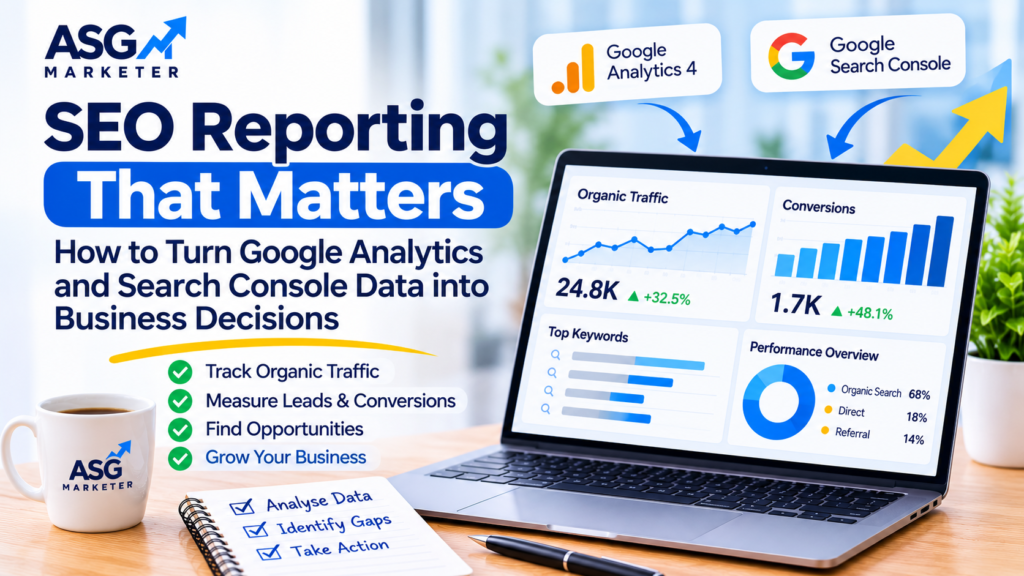

Your website’s organic traffic is increasing. Your rankings are improving. You are publishing blogs and building backlinks. But one important question remains: is your SEO strategy actually helping your business grow?
Many businesses receive monthly SEO reports filled with rankings, impressions, clicks and traffic numbers. These metrics are useful, but they do not always explain whether the website is attracting the right visitors or generating enquiries and sales.
A website can receive thousands of organic visits without producing meaningful leads. Equally, a smaller website can generate valuable enquiries from a handful of highly relevant visitors.
The difference comes down to how SEO performance is measured.
Effective SEO reporting goes beyond presenting numbers. It connects search performance with visitor behaviour, conversions and business objectives.
In this guide, we will explain how to use Google Analytics 4 and Google Search Console to understand your SEO results and make better marketing decisions.
What Is SEO Reporting?
SEO reporting is the process of collecting, analysing and presenting data about a website’s performance in organic search.
It helps businesses understand:
- How much traffic comes from organic search.
- Which keywords generate impressions and clicks.
- Which landing pages attract visitors.
- Whether visitors engage with website content.
- Which pages generate enquiries or sales.
- Where the website is losing visibility.
- Which SEO activities need improvement.
A useful SEO report should answer three main questions:
- What has changed?
- Why has it changed?
- What should we do next?
Simply showing that organic traffic increased by 20% is not enough. A meaningful report explains which pages contributed to that growth, whether the visitors were relevant and what actions could improve performance further.
Google Analytics 4 vs Google Search Console: What Is the Difference?
Google Analytics 4 (GA4) and Google Search Console (GSC) are two important tools for SEO reporting. They provide different types of information and should be used together.
Google Search Console: Understand Search Performance
Google Search Console helps you understand how your website performs in Google Search.
It provides information about:
- Search impressions.
- Organic clicks.
- Average click-through rate (CTR).
- Average search position.
- Queries bringing visitors to your website.
- Pages appearing in search results.
- Indexing and technical issues.
For example, if a service page receives many impressions but very few clicks, you may need to review its title tag and meta description.
If a page receives clicks but is not generating enquiries, the issue may be related to its content, user experience or conversion process.
Google Analytics 4: Understand Visitor Behaviour
GA4 helps you understand what visitors do after reaching your website.
It can provide insights into:
- Sessions and users.
- Organic search traffic.
- Landing page performance.
- Engagement rate.
- Average engagement time.
- Key events and conversions.
- Traffic sources and channels.
For example, GA4 might show that a particular blog attracts a large number of organic visitors but contributes very few enquiries.
This could indicate that the content is attracting informational traffic without providing a clear next step for visitors who may need your services.
Why Should You Use Both Tools?
Search Console explains what happens before someone visits your website. GA4 helps you understand what happens after the visit.
| SEO Reporting Area | Google Search Console | Google Analytics 4 |
|---|---|---|
| Search impressions | Yes | No |
| Google organic clicks | Yes | No |
| Search queries | Yes | No |
| Average search position | Yes | No |
| Website sessions | No | Yes |
| Engagement rate | No | Yes |
| Landing page activity | Search performance data | Visitor activity |
| Conversions | Not a complete website conversion report | Yes, when correctly configured |
Using both tools provides a more complete picture of organic search performance.
8 SEO Metrics Every Business Should Track
Not every available metric deserves equal attention. The right measurements depend on your website, business model and marketing objectives.
Here are eight useful metrics to include in an SEO performance report.
1. Organic Search Clicks
Organic clicks show how many times people clicked your website from unpaid Google Search results.
This metric helps you understand whether your search visibility is bringing visitors to your website.
Monitor:
- Total organic clicks.
- Click changes compared with the previous period.
- Pages generating the most clicks.
- Queries contributing to organic traffic.
A decline in clicks does not always mean your SEO strategy is failing. Seasonal demand, changes in search features and shifting user behaviour can also affect performance.
Always investigate the reason before recommending major changes.
2. Search Impressions
Impressions indicate how often your website appeared in Google Search results.
An increase in impressions may suggest that more of your pages are becoming visible for relevant searches.
However, impressions alone do not prove that your website is attracting qualified visitors.
For example, a page might receive impressions for broad keywords that are not closely related to your products or services.
Review the actual search queries to understand whether the visibility is relevant to your business.
3. Click-Through Rate (CTR)
CTR measures the percentage of impressions that result in clicks.
The formula is:
[ CTR = frac{text{Clicks}}{text{Impressions}}times100 ]
For example, if a page receives 1,000 impressions and 50 clicks, its CTR is 5%.
A low CTR may indicate that your search listing is not attracting enough attention.
Possible improvements include:
- Writing clearer SEO titles.
- Creating more relevant meta descriptions.
- Matching the page title with search intent.
- Highlighting the actual value of the page.
- Reviewing how competitors present similar results.
Remember that CTR varies according to search position, query type and SERP features. Avoid using one universal benchmark for every page.
4. Average Search Position
Average position gives you an indication of where your website appeared in Google Search results for selected queries.
It is useful for monitoring visibility trends, but it should not be treated as a complete measure of SEO success.
A page can improve its average position without generating more qualified leads.
Review position alongside clicks, impressions and conversion data to understand whether the improvement has business value.
5. Organic Sessions and Users
GA4 provides information about website visitors and sessions from organic search.
These metrics help you understand whether search traffic is increasing or decreasing.
Analyse organic traffic by:
- Landing page.
- Country.
- Device category.
- Date range.
- New and returning users.
- Relevant audience segments.
For local or international businesses, geographic performance is particularly important. A rise in traffic from countries outside your target market may not contribute to business growth.
6. Engagement Rate
Engagement rate helps you understand whether visitors are actively interacting with your website.
In GA4, an engaged session is one that lasts longer than 10 seconds, has a key event, or includes at least two page or screen views.
A low engagement rate may indicate that visitors are not finding what they expected.
Review:
- Whether the page matches the search query.
- Whether the important information is easy to find.
- Whether the page loads properly on mobile devices.
- Whether internal links guide visitors to useful resources.
- Whether the next action is clear.
Do not assume that a high engagement rate automatically means a page is successful. The real objective depends on what the page is designed to achieve.
7. Leads and Conversions
For many businesses, leads and sales are more valuable than traffic alone.
Depending on your business model, useful conversion actions may include:
- Contact form submissions.
- Telephone enquiries.
- WhatsApp enquiries.
- Appointment bookings.
- Product purchases.
- Quote requests.
- Newsletter sign-ups.
Configure relevant GA4 key events and check that they are recording correctly.
For example, if a service website receives 2,000 organic sessions but only three qualified enquiries, it may need improvements to its landing pages, messaging or conversion journey.
8. Landing Page Performance
Landing page reporting helps identify which URLs are attracting organic visitors and contributing to business objectives.
Compare pages based on:
- Organic sessions.
- Search clicks.
- Engagement rate.
- Key events.
- Conversion rate.
- Relevant search queries.
This helps you identify pages that deserve further optimisation and pages that may need content improvements.
How to Build an SEO Report Using GA4 and Search Console
You do not need a complicated reporting system to understand SEO performance. Start with a clear process and focus on the metrics that support your business goals.
Step 1: Define Your SEO Objectives
Before collecting data, decide what success means for your website.
For an e-commerce website, the main objectives might include increasing organic purchases and revenue.
For a service-based business, the focus may be on qualified enquiries, calls and appointment bookings.
For a content website, the objective could be growing relevant readership and increasing returning visitors.
Your report should reflect these goals rather than presenting every available metric.
Step 2: Select a Consistent Reporting Period
Choose a reporting period that makes sense for your website.
Monthly reporting is a useful starting point for many businesses.
Compare:
- Current month versus previous month.
- Current month versus the same month last year, where suitable.
- Performance of important pages.
- Changes in target keyword visibility.
- Conversion trends.
Year-on-year comparisons can be particularly helpful for websites affected by seasonal demand.
Step 3: Review Search Console Performance
Open the Performance report in Google Search Console.
Review clicks, impressions, CTR and average position.
Then investigate the Queries and Pages reports to identify:
- Keywords gaining visibility.
- Keywords losing clicks.
- Pages with strong impressions but weak CTR.
- Pages receiving clicks for unexpected queries.
- New opportunities for content optimisation.
Do not make decisions based on a single keyword or one unusual day of data.
Step 4: Analyse Organic Traffic in GA4
Open the Traffic acquisition report in GA4 and review organic search as a traffic channel.
Next, examine landing page performance.
Look for pages that attract visitors but have low engagement or few conversions.
These pages may need:
- Better content structure.
- Stronger calls to action.
- More relevant internal links.
- Improved mobile usability.
- Clearer service information.
- Better alignment with search intent.
Step 5: Check Conversion Tracking
A report is only as reliable as the tracking behind it.
Check that important events are configured correctly in GA4.
Test forms, purchase journeys and other key actions. Where appropriate, use Google Tag Manager to manage tracking tags and event implementation.
Also check that duplicate events are not inflating your conversion numbers.
If your tracking is inaccurate, your SEO report may show misleading results even when the underlying website performance has not changed.
Step 6: Prepare an Action Plan
The final report should explain what needs to happen next.
For example:
| Finding | Possible Action |
|---|---|
| High impressions but low CTR | Review titles and meta descriptions |
| Organic traffic declining | Investigate queries, pages and technical changes |
| Strong traffic but few leads | Improve landing page conversion paths |
| Important pages not indexed | Investigate indexing and technical issues |
| Several pages targeting similar intent | Review keyword mapping and content overlap |
| Mobile engagement is weak | Review mobile usability and page experience |
This is where reporting becomes valuable. Instead of simply describing performance, it helps prioritise the next SEO activities.
Common SEO Reporting Mistakes That Businesses Should Avoid
Even a detailed report can lead to poor decisions if the data is interpreted incorrectly.
Focusing Only on Keyword Rankings
Rankings are useful, but they do not explain the full customer journey.
A keyword moving from position 12 to position 7 may be a positive development. However, you still need to understand whether it generates relevant clicks and conversions.
Reporting Traffic Without Lead Quality
More visitors do not automatically mean more customers.
If your website receives traffic from irrelevant queries, the increase may have little commercial value.
Review the quality of enquiries, not just their total number.
Comparing Different Reporting Periods Without Context
Comparing December with January may be misleading for a seasonal business.
Consider seasonal patterns, campaigns, website changes and industry demand before drawing conclusions.
Ignoring Tracking Problems
Missing form events, duplicate conversions and incorrect channel attribution can make performance reports unreliable.
Review your analytics setup regularly.
Providing Numbers Without Recommendations
A report that only lists clicks, sessions and rankings does not tell the business what to do.
Every important finding should lead to an explanation or a recommended action.
How SEO Automation Can Make Reporting More Efficient
Preparing SEO reports manually can take considerable time, particularly when managing multiple websites.
SEO automation can help streamline repetitive activities such as:
- Collecting performance data.
- Monitoring keyword movements.
- Preparing recurring reports.
- Identifying changes in organic traffic.
- Tracking important website metrics.
- Organising reporting information.
However, automation should support analysis rather than replace it.
A tool can identify that organic traffic has declined, but an SEO specialist still needs to investigate why it happened and decide what should be done.
Explore ASG Marketer’s SEO automation services to understand how automation can support more efficient SEO workflows.
What Should a Monthly SEO Report Include?
A useful monthly SEO report should be clear enough for a business owner or decision-maker to understand without needing advanced SEO knowledge.
Here is a practical reporting structure:
| Report Section | Information to Include |
|---|---|
| Executive Summary | Main performance changes and key findings |
| Organic Search | Clicks, impressions and CTR |
| Keyword Performance | Important keyword movements |
| Landing Pages | Best-performing and underperforming URLs |
| Website Engagement | Organic sessions and engagement |
| Conversions | Leads, purchases and key events |
| Technical SEO | Important indexing and website issues |
| Completed Activities | Work completed during the period |
| Next Month’s Plan | Prioritised recommendations |
You can also include charts to show trends over time, provided that the underlying data is accurate and the visualisation makes the information easier to understand.
How ASG Marketer Can Help Improve Your SEO Performance
SEO reporting should support better decisions, not just produce monthly spreadsheets.
At ASG Marketer, a structured SEO approach can help businesses understand their website performance, identify optimisation opportunities and prioritise activities that support organic growth.
From technical analysis and content optimisation to SEO audits and automation, the focus should remain on improving the website’s ability to attract relevant visitors and generate meaningful results.
If you want to understand what is working, where your website is losing opportunities and what to improve next, explore our SEO services.
You can also contact ASG Marketer to discuss your website’s SEO requirements.
Frequently Asked Questions
1. What should an SEO report include?
An SEO report should include organic clicks, impressions, CTR, keyword performance, landing page data, organic traffic, conversions, technical issues and recommended actions.
2. Is Google Analytics 4 enough for SEO reporting?
GA4 is useful for understanding website traffic, visitor behaviour and conversions. However, it does not provide the complete search query and ranking information available in Google Search Console. Using both tools gives a broader view.
3. How often should SEO performance be reported?
Monthly reporting is suitable for many businesses. Larger websites or campaigns with frequent changes may also benefit from weekly monitoring of important metrics.
4. Which SEO metric is most important?
There is no single metric that matters for every website. For lead-generation websites, qualified enquiries may be a key measure. For e-commerce websites, organic revenue and purchases may be more important.
5. Why is organic traffic increasing but my leads are not?
This may happen when your website attracts visitors who are not ready to buy, targets irrelevant search queries or has landing pages that do not encourage enquiries. Review search intent, landing page performance and conversion tracking to identify the issue.
Conclusion
SEO reporting is not about collecting the largest number of metrics or presenting impressive-looking charts. It is about understanding how organic search contributes to your business.
Google Search Console helps you evaluate search visibility, while Google Analytics 4 provides insights into what visitors do after reaching your website.
When these tools are used together, you can identify opportunities, investigate performance changes and make informed decisions about your SEO strategy.
Stop measuring SEO success through rankings and traffic alone. Start connecting search performance with the results that matter to your business.