
AI tools now answer questions that people used to type into Google, and they pull those answers from websites like yours. That shift has put a new file on many SEO checklists: llms.txt. Some agencies call it essential. Others call it a passing fad. The truth sits somewhere in the middle, and it helps to understand what the file does before you spend time on it.
In this guide, we explain what llms.txt is, how it differs from robots.txt, what to put inside it and how to add it to your site. We also cover what is proven and what is not, so you can make a sensible decision for your business.
What Is llms.txt?
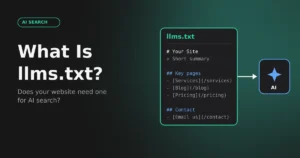
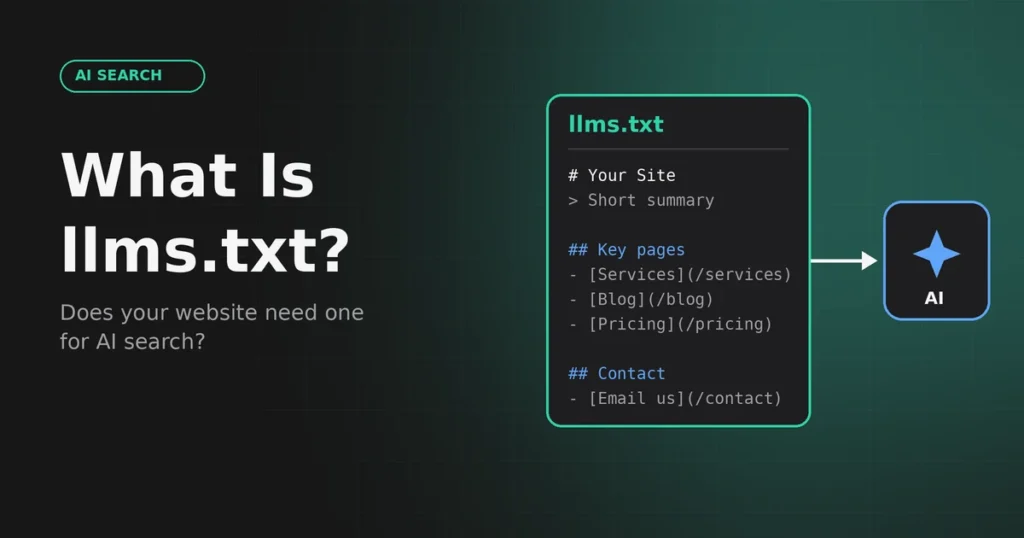
llms.txt is a plain text file, written in Markdown, that sits in the root folder of your website at yourdomain.com/llms.txt. It was proposed in September 2024 by Jeremy Howard, co-founder of Answer.AI, as a simple way to give large language models a clean summary of a website.
The idea is easy to follow. A normal web page is full of menus, scripts, pop-ups and design code. A language model can only read so much at one time, so all of that clutter gets in the way. An llms.txt file skips the clutter. It gives a short description of who you are and a curated list of your most useful pages, each with a one-line explanation.
How Is llms.txt Different From robots.txt and sitemap.xml?
These three files are often confused, but each one does a different job.
| File | Main purpose | Main reader | Format |
|---|---|---|---|
| robots.txt | Tells crawlers which areas of the site they may or may not crawl | Search and AI crawlers | Plain text rules |
| sitemap.xml | Lists all indexable URLs so they can be discovered | Search engines | XML |
| llms.txt | Summarises your site and its key pages for AI models | AI tools and agents | Markdown |
In short, robots.txt controls access, the sitemap lists everything and llms.txt highlights what matters most. They work together, and none of them replaces the others.
Does llms.txt Help You Rank or Get Cited by AI?
This is the question most site owners care about, so let us answer it directly. llms.txt is a proposal, not an official web standard. As far as we know, the major search and AI companies have not confirmed that they use it as a ranking or citation signal, and Google has said that no special files or markup are required to appear in its AI features. Check the latest statements from each provider before you promise results to a client.
That does not make the file useless. It costs very little to create, it forces you to describe your business clearly, and some developer tools and AI agents can read it when a user points them at your site. Think of it as a low-cost extra, not a ranking trick.
What Should You Put in an llms.txt File?
A clear title and summary
Start with your brand name as a top-level heading, followed by a short block quote that explains what you do, who you serve and where you operate. Write it in plain language, as if you were describing the business to a new client.
Your most important pages
Add sections with links to your core service pages, key guides, pricing and contact details. Place one short sentence after each link so a model knows what the page covers. Quality matters more than quantity. Ten to twenty strong links are better than a copy of your whole sitemap.
An optional section
Use a heading called Optional for secondary pages such as older blog posts or legal pages. Tools with limited reading space can skip this part.
A Simple llms.txt Structure
Here is the basic layout you can follow:
# Your Brand Name
> One or two sentences that describe what the business does and who it serves.
## Services
– [SEO Audits](https://example.com/services/seo-audits/): What the audit covers
## Guides
– [Guide title](https://example.com/guide/): One-sentence summary
## Optional
– [About Us](https://example.com/about/): Company background
How to Add llms.txt to a WordPress Website
- Write the file in a plain text editor and save it as llms.txt, not as a Word or rich text file.
- Upload it to the root folder through your hosting file manager or FTP. This is usually the public_html folder, next to wp-config.php.
- Open yourdomain.com/llms.txt in a browser and confirm that it loads as plain text.
- Make sure every link in the file points to a live page that returns a 200 status code.
- Review the file every quarter, or whenever you add or remove a main service page.
Some SEO plugins now offer a built-in option to generate the file. If you use one, read the output carefully instead of accepting the defaults.
Common llms.txt Mistakes to Avoid
- Dumping every URL into the file instead of choosing the best ones.
- Using marketing slogans in place of clear descriptions.
- Linking to redirected, broken or noindexed pages.
- Forgetting to update the file after a site redesign.
- Treating it as a replacement for strong content and technical SEO.
What Matters More for AI Visibility
If your goal is to appear in AI answers, the basics still do most of the work. Make sure AI crawlers are allowed in your robots.txt file, your pages load quickly and render without heavy JavaScript, and your content answers real questions in a direct way. Add named authors, a real business address, structured data and mentions on trusted websites. These steps help both traditional search and AI tools, and they are the first things to check in a technical SEO audit.
Frequently Asked Questions
What is llms.txt in simple words?
It is a plain text file that gives AI tools a short summary of your website and a list of your best pages. You can think of it as a welcome note written for a language model.
Is llms.txt an official standard?
No. It is a community proposal and is not part of any official web standard. Support depends on each AI tool or platform.
Will llms.txt improve my Google rankings?
There is no confirmed evidence that it does. Google has said that no special file is needed for its AI features, so treat llms.txt as a small supporting step.
How is llms.txt different from robots.txt?
Robots.txt tells crawlers what they may access. The llms.txt file does not block or allow anything. It only points models towards the pages you consider most useful.
Should a small business create an llms.txt file?
It takes about an hour and costs nothing, so it is reasonable to add. Do it after the more important basics, such as fixing crawl errors, improving page speed and publishing helpful content.
Final Thoughts
llms.txt is a small, sensible addition to a modern technical SEO setup, but it is not a shortcut to AI visibility. Create it, keep it accurate and move on to the work that moves the needle: clear content, a fast and crawlable website, and a trustworthy brand. If you would like help preparing your site for AI search, the team at ASG Marketer can review your technical setup and suggest the next steps.