
More searches now end without a click. A person types a question, reads the answer on the results page and leaves. For anyone who relies on organic traffic, that can sound like bad news, but it is not the end of search as a marketing channel. It means visibility now has two jobs: earning clicks where they still happen and earning attention where they do not.
In this guide, we explain what zero-click SEO is, why it is growing and the seven practical steps we use to keep brands visible. We also cover how to measure results when traffic is no longer the only signal. The topic builds on ideas from our guides to generative engine optimisation and link building in 2026, so read those as well if you want the full picture. For help applying it to your own site, see our SEO services.
What Is Zero-Click SEO?
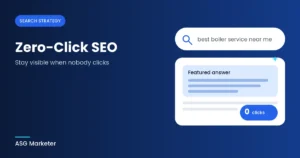
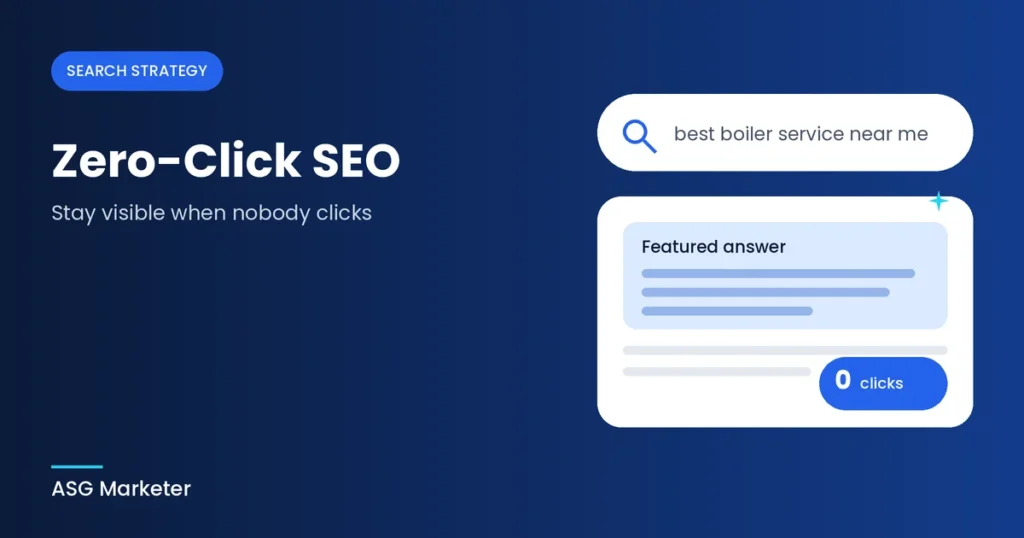
Zero-click SEO is the practice of optimising your content so that your brand, answers and information are visible directly on the search results page, even when the user never visits your website. A zero-click search is simply one where the searcher gets what they need from the results and does not click through.
The goal is not to avoid clicks. It is to make sure that when someone sees an answer, a snippet or a business listing, your name is attached to it. Over time, that builds recognition, and recognition leads to branded searches, direct visits and enquiries.
Why Zero-Click Searches Are Growing
Search engines now answer more questions themselves. Several features on the results page explain the trend:
- AI Overviews and AI Mode. Written answers appear above the normal results, so many users read the summary and stop there.
- Featured snippets. A short extract from a page answers the question at the top of the page.
- People Also Ask boxes. Expandable questions give quick answers without a visit to any site.
- Knowledge panels and local packs. Opening hours, reviews, phone numbers and directions appear straight in the results.
- Direct answers. Times, conversions, weather and definitions are handled by the results page itself.
Mobile use adds to this. People searching on a phone often want a fast answer, and the results page is built to give it to them.
Is Zero-Click Bad for Your Business?
Not necessarily. The impact depends on the type of query. Simple informational searches, such as definitions or quick facts, lose the most clicks. Commercial and transactional searches, where someone is comparing options or ready to buy, still send plenty of visitors to websites.
There is also an upside. People who do click after reading an AI answer or snippet are often further along in their decision, so the traffic you keep can be more qualified. And being named in the answer puts your brand in front of people who might never have found you otherwise. The businesses that struggle are the ones with no plan, not the ones facing zero-click search.
7 Ways to Win in a Zero-Click World
1. Target featured snippets with direct answers
Pick a question your customers ask, then answer it in 40 to 60 words directly under a clear heading. Follow with the detail. Use lists for steps and tables for comparisons, because search engines often lift those formats whole. Our content marketing service builds this structure into every article.
For example, a plumbing company could answer “How often should a boiler be serviced?” in two clear sentences, then explain what an engineer checks, how long it takes and what it costs. The short answer can appear in the snippet, while the full detail gives visitors a reason to open the page. That balance is what makes snippet content work for the business as well as for the searcher.
2. Optimise for People Also Ask
Search your main keyword and note the questions that appear in the People Also Ask box. Answer the most relevant ones on your page, each with its own heading and a short, plain reply. This also feeds your keyword research [/keyword-research], because these questions show what people genuinely want to know.
3. Use structured data
Schema markup helps search systems understand what a page is about, and it can make you eligible for rich results such as review stars and FAQ displays. Add markup only for content that is visible on the page. Our guide to FAQ schema covers the setup, and our schema markup service can handle it for you.
4. Strengthen your Google Business Profile
For local businesses, the results page is often the whole customer journey. People see your name, rating, hours and phone number and call without ever opening your website. Keep every detail accurate, add fresh photos, reply to reviews and post updates. See our Google Business Profile optimisation and local SEO services for support.
5. Build brand recognition
If people see your name repeatedly in answers, snippets and listings, they start to remember it. Use the same business name and description everywhere, earn mentions on respected sites and keep your branding consistent. Quality links and mentions help here too, which is why our backlink building service focuses on relevant, editorial placements.
6. Create content worth clicking
Some content cannot be fully answered in a snippet. Calculators, templates, original research, detailed comparisons and step-by-step guides give people a reason to visit. Give the quick answer in the snippet, then make clear that the full version on your page offers more. A tease with real value behind it earns the click.
7. Make the click easy to earn
When your result does appear, your title and meta description decide whether people choose it. Write titles that promise a specific benefit, keep descriptions clear and honest, and add a current year only where it fits. Refreshing older pages also helps, and our walkthrough on how to refresh old blog posts shows what to check.
How to Measure Success Without Clicks
Clicks alone no longer tell the full story, so track a wider set of signals:
- Impressions in Search Console: a rise in impressions with steady clicks often means your pages are appearing more often in features.
- Branded search growth: more people searching for your name suggests that your visibility is working.
- Direct and returning traffic: visitors who type your address or come back later may have first met you in a search answer.
- Calls and direction requests: your Google Business Profile reports show actions taken without a website visit.
- AI mentions: ask AI tools your key questions each month and note whether your brand is cited.
Our guide to tracking AI search visibility explains how to set this up, and a free SEO audit is a good starting point if you are not sure what your current data shows.
Common Zero-Click SEO Mistakes
- Giving up on content. Fewer clicks on some queries does not mean content has stopped working. It needs a better target.
- Judging success on traffic alone. Visibility and brand recall matter even when they do not show in analytics sessions.
- Copying competitors’ answers. Snippets go to pages that add something useful, not pages that repeat what is already there.
- Neglecting technical basics. Slow, hard-to-crawl pages are less likely to be used as sources. Our technical SEO team can review this.
- Using misleading titles. A title that overpromises may win a click, but it harms trust and brings the visitor straight back to the results.
Final Thoughts
Zero-click search is a change in how people use results pages, not the end of SEO. Answer questions clearly, structure your pages well, look after your business listings and build a brand people recognise. Then give visitors a real reason to come to your site for the full story.
If you would like a plan for your own website, explore our SEO services or get in touch with our team.
Frequently Asked Questions
1. What is zero-click SEO?
It is the practice of optimising your content so your brand and answers appear directly in search results, even when users do not click through to your website.
2. Are zero-click searches bad for SEO?
Not always. They reduce clicks on simple informational queries, but they also give your brand visibility. Commercial searches still send plenty of traffic.
3. How do I get into featured snippets?
Answer a specific question in 40 to 60 words under a clear heading, then add detail. Use lists and tables where they fit. There is no guarantee, but this format gives you the best chance.
4. Does schema markup help with zero-click results?
It helps search systems understand your content and can make you eligible for rich results. It does not guarantee a feature, so pair it with strong content. See our schema markup service.
5. How do I measure zero-click performance?
Track impressions in Search Console, branded search growth, direct traffic, Google Business Profile actions and mentions in AI tools. Together, these show whether your visibility is improving.