
Search engines are good at reading text, but they still make guesses. Is that number a price, a phone number or a year? Is that name a person, a business or a product? Schema markup removes the guesswork. It is a small block of code that tells search engines and AI tools exactly what your content means.
In this guide, we explain what schema markup is, which types matter for most business websites, how to add it in WordPress and how to test it. We also point out what it cannot do, so your expectations stay realistic.
What Is Schema Markup?
Schema markup is structured data that you add to a page to describe its content in a standard way. It uses a shared vocabulary from Schema.org, a project founded by Google, Microsoft, Yahoo and Yandex.
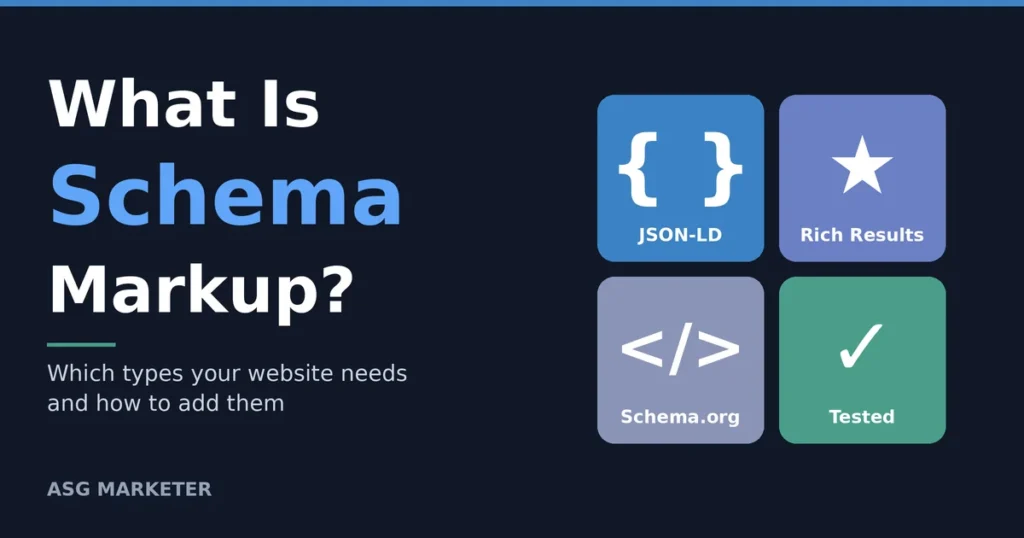
You can write it in three formats: JSON-LD, Microdata and RDFa. Google recommends JSON-LD because it sits in one block of code and does not need to be mixed into your page design. Visitors never see it, but crawlers read it.
Does Schema Markup Improve Rankings?
Not directly. Google has said that structured data is not a ranking factor on its own. What it does is help Google understand a page and make it eligible for rich results, such as product details, breadcrumbs, review stars and event listings. Those richer listings can earn more attention and clicks, even when your position does not change.
Be careful with claims that schema boosts rankings by a set number of positions. Studies like that are hard to prove, and a good agency should not promise them. Treat schema as a clarity tool and a way to qualify for better-looking results.
Which Schema Types Do Most Websites Need?
You do not need every type. Start with the ones that match your business and pages.
| Schema type | Best used for | Possible benefit |
|---|---|---|
| Organization | Your brand name, logo, contact details and social profiles | Clearer brand information for search engines |
| LocalBusiness | Businesses with a physical address or service area | Consistent local details that support local SEO |
| Article or BlogPosting | Blog posts and news articles | Clear author, date and topic signals |
| Person | Authors and team members | Connects content to real experts |
| Product and Offer | Online shop product pages | Eligibility for price and availability snippets |
| BreadcrumbList | Any site with a clear page hierarchy | Breadcrumb trails in search results |
| FAQPage | Pages with real question and answer sections | Clearer content for machines; rich results are now limited |
A practical rule: if a schema type does not match something visitors can see on the page, leave it out. A small, accurate setup with Organization, Article, Person and BreadcrumbList usually beats a long list of types that are only half complete. You can always add more types later as the site grows.
What Changed for FAQ and How-To Schema?
Many SEO guides still tell you to add FAQ schema to every page. In 2023, Google limited FAQ rich results to well-known government and health websites, and it later removed How-to rich results as well. That does not make the markup wrong. Valid FAQ schema still describes your content clearly. Just do not expect the dropdown answers to appear in search results, and do not add it to pages that have no real questions.
How to Add Schema Markup in WordPress
Use your SEO plugin first
Plugins such as Yoast SEO and Rank Math create a basic schema graph automatically. It usually covers your organisation or person, the web page, the article and breadcrumbs. Open the plugin settings, fill in your business name, logo and social profiles, and check that every detail is accurate.
Add custom JSON-LD where needed
For details the plugin does not cover, such as LocalBusiness information, add a JSON-LD block through the plugin’s schema options or a trusted code snippet plugin. Here is a simplified example:
{
“@context”: “https://schema.org”,
“@type”: “Organization”,
“name”: “Your Business Name”,
“url”: “https://example.com/”,
“logo”: “https://example.com/logo.png”,
“sameAs”: [“https://www.linkedin.com/company/your-business”]
}
Keep it matching the page
Schema must describe what visitors can actually see. Never mark up reviews, prices or awards that do not appear on the page. Misleading markup can lead to a manual action from Google.
How to Test Your Schema Markup
- Run the page through Google’s Rich Results Test to see which rich results it qualifies for.
- Use the Schema Markup Validator at validator.schema.org to check the code against the full Schema.org vocabulary.
- Check the enhancement reports in Google Search Console for warnings and errors across the whole site.
- Test again after every theme, plugin or page builder update, because these can change or break your markup.
Schema Markup for Dubai and UAE Businesses
If you serve customers in the UAE, LocalBusiness schema deserves extra attention. Include your exact business name, full address, phone number, opening hours and the areas you serve, such as Dubai, Abu Dhabi or Sharjah. Make sure these details match your Google Business Profile and website footer exactly. Consistent details help search systems trust that every mention refers to the same business, which supports your local SEO efforts.
Schema Markup and AI Search
AI answer tools need to understand who you are and what you offer, and structured data gives them clean, labelled facts. There is no confirmed rule that schema makes AI tools cite you, and Google says no special markup is needed for its AI features. Still, clear entity information is a sound foundation for generative engine optimisation, and it costs little to do well.
Common Schema Markup Mistakes
- Marking up content that does not appear on the page.
- Adding self-written review ratings to your own business pages.
- Running several plugins that output duplicate or conflicting schema.
- Copying another site’s code without changing the details.
- Ignoring warnings and errors in Search Console.
Frequently Asked Questions
What is schema markup in simple words?
It is code that labels the information on your page, so search engines know whether something is a business name, a price or an author.
Is schema markup a ranking factor?
Not on its own. It helps search engines understand your content and can make pages eligible for rich results.
Which schema format should I use?
Use JSON-LD. Google recommends it, and it is easier to add and maintain than Microdata or RDFa.
Do I need a developer to add schema markup?
Not always. SEO plugins add the basics. A developer or technical SEO specialist helps with custom types, large websites and fixing errors.
How often should I check my schema?
Test it after any major site change, and review the Search Console reports at least once a month.
Final Thoughts
Schema markup will not rescue weak content, but it makes good content easier for machines to understand. It is a core part of technical SEO, so start with the plugin basics, add LocalBusiness details if you serve a local area, and test everything. A technical SEO audit can quickly show whether your markup is missing, duplicated or broken. If you would like help, you can contact ASG Marketer and we will review your setup.